TruGolf E6 Connect is the primary simulator software platform that powers the playing, practice, and entertainment experience in every 19th Hole Golf Simulator installation. It provides access to more than 150,000 worldwide golf courses, a full suite of practice modes, competitive and social features, player profile management, and analytics tools — all running on the TruGolf MAX 4K hardware platform. If the launch monitor is the brain of your simulator system, E6 Connect is the experience. Visit TruGolf’s website for current platform specifications.
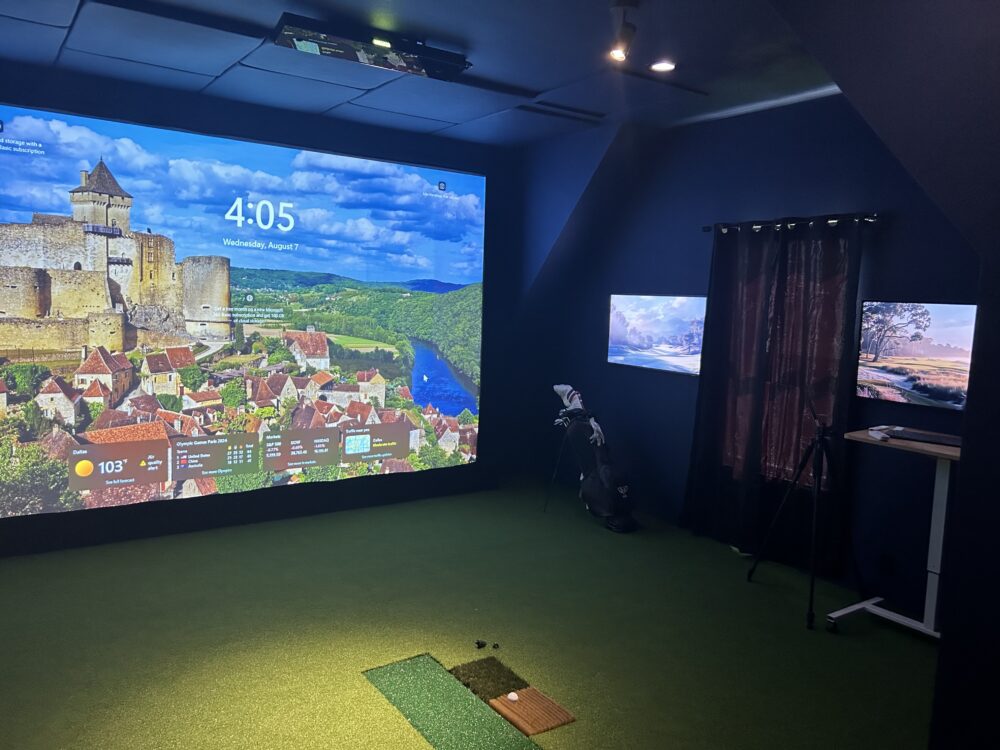
The Course Library: 150,000+ Worldwide Courses
E6 Connect’s course library is the largest available in the golf simulation market. It includes the most iconic courses in professional golf — Augusta National, Pebble Beach, TPC Sawgrass, St. Andrews, Pinehurst No. 2 — alongside thousands of regionally specific, destination, and fictional fantasy courses. The photorealistic rendering at 4K resolution makes course play visually genuine rather than cartoonish.
For DFW golfers, the ability to play courses you plan to visit before you arrive is a real practical advantage. Playing a practice round on a simulator version of a course two weeks before your trip gives you familiarity with hole layouts, approach angles, and green complexes that translates to better course management on the actual round. The PGA of America has increasingly recognized simulator-based course preparation as a legitimate pre-round practice tool.
Practice Modes: More Than Just Playing a Round
Where E6 Connect separates itself from pure entertainment platforms is the depth of its practice environment. Practice modes include:
-
Driving range: Hit balls with real-time ball flight data and landing position tracking. Useful for structured warm-up and club gapping sessions.
-
Shot challenge: Target-based accuracy practice at specific distances. Useful for developing wedge distance control.
-
Skills challenges: Structured drills that mimic the kinds of shots you face on the course, scored for competitive improvement tracking.
-
Short game practice: Approach shot and chip sequences that build touch and trajectory control.
-
Closest-to-the-pin and long drive competitions: Format modes that make solo practice sessions more engaging through competition framing.
Competitive and Social Features
E6 Connect is designed for multi-player use from the ground up. Up to five players can compete simultaneously with individual profiles, real-time leaderboards, and handicap-adjusted scoring. Tournament formats include stroke play, match play, scramble, and Stableford. The league management tools allow you to set up recurring competitions with the same group of players across multiple sessions, with cumulative scoring and handicap tracking.
Online play connects your simulator to other E6 Connect users worldwide, allowing remote rounds against players in different locations. This is a feature that becomes particularly valuable during DFW’s summer months when playing outdoor golf is impractical.
Player Profiles and Analytics
Every player who uses the system maintains an individual profile that tracks handicap, scoring history, shot statistics, and improvement trends over time. The analytics dashboard shows changes in specific metrics across sessions — ball speed trends, face angle patterns, scoring averages by course and format.
For golfers who use the system for deliberate improvement rather than just entertainment, this longitudinal data is genuinely useful. You can see whether your driver ball speed has increased over two months of practice, whether your approach shot proximity has improved, and which courses consistently produce your best and worst scoring rounds.
MultiSport ARCADE: Beyond Golf
MultiSport ARCADE extends E6 Connect beyond golf with eight interactive sports games that use the same screen and projector setup. This makes the room useful for guests and family members who are not golfers, turning the simulator room into a general entertainment destination rather than a single-purpose space. For households where the golf simulator investment needs to appeal to the whole family, ARCADE is a meaningful addition to the conversation.
Commercial Features for Business Installations
For commercial clients in DFW — corporate offices, hospitality venues, country clubs, and entertainment facilities — E6 Connect includes reservation management tools, business intelligence reporting, player throughput analytics, and session management features that support a multi-user commercial environment. These features are configured differently from residential setups and are part of the commercial installation planning process.
What E6 Connect Requires to Perform Correctly
E6 Connect performs at its advertised level when it is running on properly specified hardware, connected to a calibrated launch monitor, and configured by an installer who understands both the software and the physical setup. The 4K rendering requires a computer system that meets TruGolf’s performance specifications. The launch monitor data integration requires proper calibration between the monitor and the software. These are not things that come correctly configured out of the box.
This is the context in which 19th Hole Golf Simulators’ installation service matters. We configure E6 Connect as part of the full system setup, calibrate the data connection between the launch monitor and the software, and walk every client through the full feature set before the installation is complete. Read more about what a professional installation includes.
Frequently Asked Questions
Is TruGolf E6 Connect included in every 19th Hole installation?
TruGolf E6 Connect is our primary simulator software platform and is included as part of the TruGolf MAX 4K system configurations. Your consultant will walk through software options during your design consultation.
How many courses does E6 Connect include?
E6 Connect provides access to more than 150,000 worldwide courses, including major championship venues, destination courses, and regionally specific options.
Can multiple players have separate profiles in E6 Connect?
Yes. Each user maintains an individual profile with their own handicap, scoring history, and analytics. Up to five players can play simultaneously on one system.
Does E6 Connect work with all launch monitors?
E6 Connect integrates with TrackMan, Uneekor, FlightScope, and Garmin. Our installation team configures the software-to-monitor connection as part of the installation and calibration process.
19th Hole Golf Simulators designs, installs, and calibrates custom golf simulator systems across Dallas–Fort Worth. Our in-house team handles every step from in-person consultation through final training.
Call 972-898-0419 or schedule your free consultation online to get started.