

A lot of people hear the phrase golf simulator installation and picture a screen, a mat, and a projector. That sounds simple, but a professional installation includes much more than setting a few pieces of equipment in a room. A custom golf simulator needs careful planning, the right layout, proper equipment placement, accurate calibration, and final testing that makes the whole system feel smooth from day one.
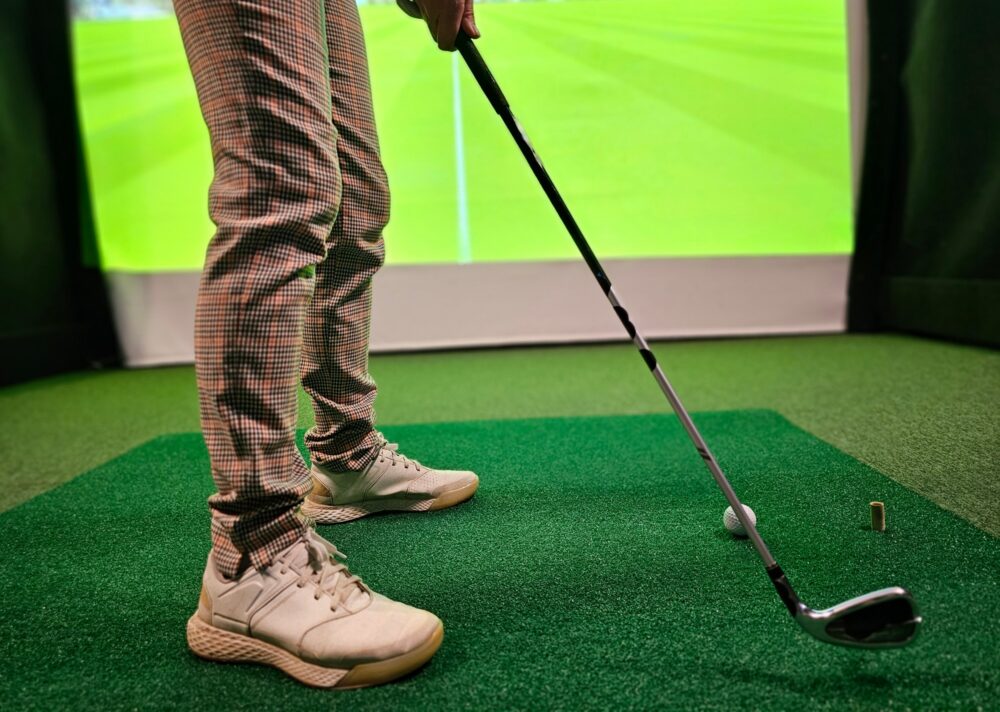
In Dallas, many homeowners and businesses want an indoor golf setup that feels polished, performs well, and lasts. That only happens when the installation process covers every detail from the room itself to the final shot test. A professional installer does not just drop equipment into place. They build an indoor golf environment that fits the space and supports real use.
Here is what a professional golf simulator installation actually includes and why each part matters.
It Starts With a Real Consultation
A professional installation begins before any equipment arrives. The first step is a consultation where the installer learns how you want to use the simulator.
Some people want a serious practice space. Others want a home entertainment room where friends and family can play together. Some Dallas clients want a simulator for a country club, office, or commercial venue. Those goals shape every decision that follows.
During the consultation, the installer usually reviews:
- Your room size
- Ceiling height
- Swing clearance
- Lighting
- Flooring
- Electrical access
- How many players will use it
- Whether right and left handed golfers need to use it
- Whether the system will focus on training, entertainment, or both
This step matters because a simulator should match the way you live and play. A system built for daily practice will not always match the same setup as one designed for casual social use.
Room Evaluation and Space Planning
The next major step involves measuring and evaluating the room. This is one of the biggest differences between a professional installation and a quick setup.
A trained golf simulator installer checks whether the room can handle full swings safely. They look at ceiling height, the distance from the hitting area to the screen, and the width needed for free movement. They also review where a projector, launch monitor, and side protection should go.
In Dallas homes, golf simulators often go into garages, media rooms, bonus rooms, or dedicated golf lounges. Each of those spaces has different needs. Garages may need attention to lighting and temperature. Media rooms may need better projector placement. New construction homes may offer more flexibility, but still need exact planning.
Good space planning keeps the simulator comfortable to use. It also prevents expensive mistakes.
Equipment Selection Based on the Room and User
A professional installation includes helping the client choose the right equipment for the room and goals. That means more than picking a brand name.
The installer looks at what type of launch monitor fits best, what size screen makes sense, how much enclosure protection the room needs, and what projector setup will create the best image.
This may include choices such as:
- Launch monitor system
- Impact screen
- Enclosure
- Hitting mat
- Projector
- Computer or control system
- Software platform
- Audio integration
- Putting add ons like TOURPUTT
- Multiplayer or entertainment features
A serious installer does not recommend equipment in isolation. They make sure every part works together. A large screen in the wrong room can hurt performance. A powerful launch monitor placed in a poor location can create unreliable data. A good equipment plan solves those problems before installation starts.
Installation of the Enclosure and Screen
Once the planning phase is complete, the physical installation begins. One of the most visible parts of the project is the enclosure and impact screen.
This step includes building a secure structure that frames the simulator area, protects the surrounding room, and holds the screen correctly. The screen must stay tight enough for a clean image and proper ball reaction, but not so tight that it creates unnecessary bounce back or wear.
A professional team also installs side protection and makes sure the enclosure sits square within the room. This gives the simulator a finished look and helps keep the space safe during use.
This part often gets overlooked by people who assume the screen is just a surface to hit into. In reality, the enclosure system shapes how the simulator feels, looks, and performs.
Hitting Area Setup
The hitting area needs just as much attention as the screen. Professional installation includes placing the mat and hitting zone in the correct location for ball tracking, swing comfort, and player safety.
This part of the process may involve:
- Leveling the hitting surface
- Aligning the mat with the target line
- Making sure the mat sits securely
- Confirming proper stance room
- Matching the hitting zone to the launch monitor requirements
A bad hitting area can ruin a great simulator. Golfers may feel off balance, uncomfortable, or crowded. Launch monitors may miss shots or produce inconsistent numbers. Professional installers solve those problems through careful placement and setup.
Launch Monitor Placement and Calibration
This is one of the most important parts of the full installation. A simulator depends on accurate shot tracking, and that starts with correct launch monitor placement.
A professional team sets the launch monitor where it needs to sit based on the technology involved. Some systems rely on overhead placement. Others require a specific position beside or behind the golfer. The installer also makes sure nothing in the room interferes with tracking.
After placement comes calibration. This step ensures the system reads club and ball data correctly. The team tests shots, confirms distances, and checks important data points such as ball speed, spin, and launch conditions.
Without proper calibration, even premium technology can feel disappointing. Professional setup makes the numbers more trustworthy and the experience more useful.
Projector Setup and Image Alignment
A golf simulator should look clean and immersive. Professional installation includes projector mounting and image alignment that fits the screen properly.
That process includes:
- Mounting the projector securely
- Setting the correct throw distance
- Adjusting image size and shape
- Reducing shadows
- Aligning the image cleanly with the screen edges
This step affects more than appearance. A poor projector setup can create distractions during play. Crooked images, washed out visuals, or shadows near the hitting area make the simulator feel unfinished. A professional installer makes the screen feel sharp, centered, and easy to enjoy.
Software Setup and System Integration
Modern golf simulators do much more than show ball flight. They run course play, practice tools, game modes, player profiles, statistics, and in some cases putting systems or multi sport features.
Professional installation includes setting up the software so everything works correctly from the beginning. That means connecting the launch monitor, configuring player settings, linking the projector and computer, and making sure the simulator runs as one smooth system.
The team also checks updates, installs the proper programs, and confirms that practice, course play, and tracking features all work correctly. This saves the client from having to troubleshoot technical issues after installation.
User Training After Installation
A good installation does not end when the equipment turns on. Professional teams walk the client through the simulator so they know how to use it.
This often includes:
- Starting and shutting down the system
- Selecting practice or course modes
- Creating player profiles
- Reading launch monitor data
- Switching between golfers
- Basic care and upkeep
This training matters because even the best simulator loses value if the user feels unsure about how to operate it. Clear guidance helps the owner enjoy the system right away.
Final Testing and Quality Checks
Before a professional installation wraps up, the team tests the simulator under real use conditions. They hit shots, confirm tracking accuracy, check the screen response, review image quality, and verify that software and hardware work together.
This final check is where details come together. It confirms that the room layout works, the launch monitor reads correctly, and the simulator delivers the kind of experience the client expected.
That last stage often separates a polished installation from a rushed one.
Why Professional Installation Matters in Dallas
Dallas homeowners and businesses want indoor golf setups that feel worth the investment. They want something that looks clean, works properly, and holds up through regular use. Professional installation makes that possible.
A full custom golf simulator installation includes planning, room evaluation, equipment matching, enclosure setup, hitting area preparation, launch monitor calibration, projector alignment, software setup, training, and final testing. Each part supports performance.
That is why professional installation matters. It turns a collection of parts into a real golf environment.
FAQs About Professional Golf Simulator Installation in Dallas, TX
What is the first step in a professional golf simulator installation?
The first step is usually a consultation and room evaluation to understand your goals, space, and equipment needs.
Does a professional installation include launch monitor calibration?
Yes. A professional team places and calibrates the launch monitor so the simulator tracks shots accurately.
Will the installer help choose the right equipment?
Yes. Professional installers recommend the right launch monitor, screen, mat, projector, and software based on your room and goals.
Does installation include projector and screen alignment?
Yes. The team mounts the projector, aligns the image, and makes sure the screen and enclosure fit the room properly.
Do I get training after the simulator is installed?
Yes. Most professional installations include a walkthrough so you know how to use the system with confidence.
Call 19th Hole Golf Simulators at 972-898-0419 to schedule your custom golf simulator consultation in Dallas, TX.